|
8. Running other batch operations on multifile
|
   |
|
8. Running other batch operations on multifile
|
|
Following are supported batch operations:
* Fast Replace/Conversion(support fast replace on text and binary file)
* Batch File Rename,Copy,Download
* Batch File Merging
* Batch File Encoding Conversion
* Batch DOC/PDF to text conversion
* Batch DOC/PDF replace
* Batch Run User Defined Applications/Statements
For instance, following is procedure to do batch encoding conversion on multiple file:
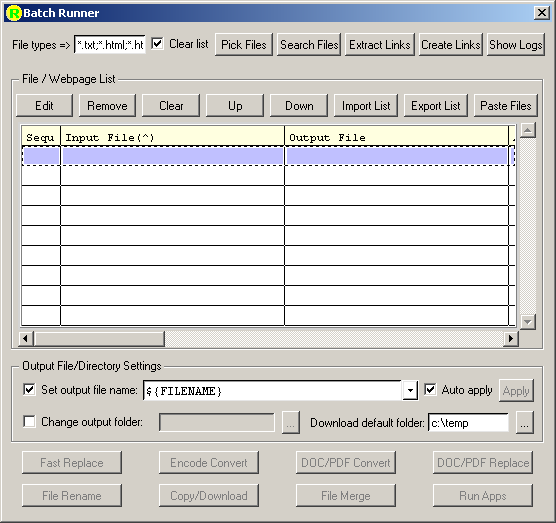
1. Click Toolbar "Batch Runner" or "Settings->Settings" menu


2. A "Batch Runner" dialog will popup, Click "Pick Files", the "Open" dialog will popup
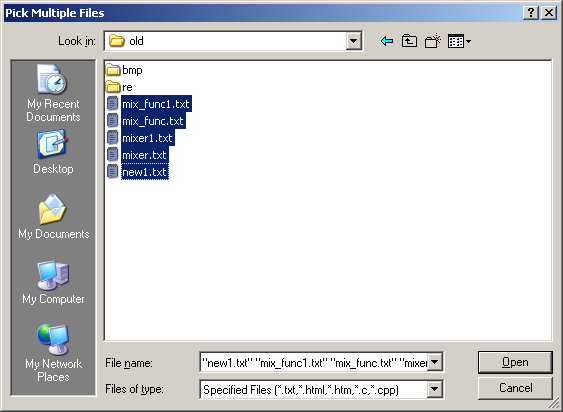
3. Use ctrl or shift+mouse to select multi-files and Click "Open"
4. By clicking the Title of different column or right click each column, you can sort the files as need

5. If you want to overwrite old files, change "Set output file name" to ${FILENAME}, if you want to save to new names, you can change it to name like ${FILENAME}.new, the "Output File" column will be changed.
6. If you want to save to a new directory, you can also check the "Change output file directory", and set a new directory for output files.
7. Click "Encode Convert", select "Input Encoding" and "Output Encoding" from list, then click "Start"
8. The "Batch Operation Logs" window will be poped-up, the operation result for each file will be listed.
For detailed operation, please refer to Batch Runner